


Coursiv: AI Tools Mastery
4.67.01K Reviews
App Specs
- Version
- 2.4.6
- Updated On
- License
- Free
- Downloads
- 1,000,000+
- Developer
- Coursiv Limited
- Categories
- Education
- Platform
- Android
Screenshots


 Analysis by AppCompare
I like learning apps best when they help me move from “I’ve heard of this tool” to “I know what I could use it for.” That is the useful idea behind Coursiv: AI Tools Mastery: it gathers lessons about AI tools in one place and gives beginners a guided way to explore them. I found that approach more approachable than trying to piece together scattered tutorials, though it works best when I treat each lesson as a starting point rather than a substitute for hands-on practice.
A guided route through a crowded AI landscape
AI tools can be difficult to compare when every product has its own interface, terminology, and claims. Coursiv is an education app from Coursiv Limited that focuses on learning about more than twenty-five popular tools. Instead of asking me to begin with a particular product and figure out its purpose alone, the app frames the subject as a set of lessons. That structure can help a newcomer build a basic map of what is available before deciding what deserves more time.
The main benefit is orientation. A person who has heard colleagues mention AI but does not know where to start can use a guided course to make the topic feel less like a jumble of unfamiliar names. I would not expect one app to make me proficient in every tool it covers; the more realistic payoff is learning enough to ask better questions and choose a sensible next step.
Learning in short sessions, then testing the idea
The lessons are presented as bite-sized tutorials, with quizzes intended to check what I have just learned. That combination suits short study windows: I can read a focused explanation, pause, and see whether I understood the key point instead of simply scrolling past it. The quizzes are most useful as checkpoints, not proof that I can use a tool well. To make the learning stick, I’d follow a lesson by trying the relevant task in the tool itself and noticing where the real workflow differs from the explanation.
For example, if I’m curious about using AI to help organize a work task, I can first learn the basic purpose of a tool, then test it on a low-stakes draft or outline. I’d avoid putting confidential work material into any external service unless I had checked that service’s own terms and safeguards. This extra step matters: a lesson can explain a tool’s general role, but sensible use still depends on the task and the information involved.
It is also worth deciding what I want from a session before opening the app. “Understand what this tool is for” is manageable; “master AI” is too broad to guide a useful study session. I’d keep a small note of one idea to test after each lesson, such as a kind of task the tool might help with or a question I still need answered. That turns browsing into a practical learning loop and makes it easier to tell whether the course is helping.
Where it fits into an ordinary day
A realistic use case is a beginner with a spare stretch of time before work or during a quiet evening who wants to make sense of AI without committing to a long technical course. I might complete a short lesson, take its quiz, and then decide whether the subject applies to an email draft, a study plan, or another everyday task. That is a more grounded goal than expecting the app itself to produce a finished work result.
Worth Reading Before You Choose

EA SPORTS FC Mobile 26 Is a Bigger Football Game, but It Takes Time

Flipboard Shows What News Apps Must Do Beyond the Feed

Switching to Android Auto Means Rethinking Your Driving Routine

Google Calendar Makes a Crowded Week Easier to Manage

Ludo King Makes the Most of the Minutes Between Plans

Baby Panda World Brings Quick Play to Modern Phones, but Its Game Library Feels Busy
The app is free to install, is rated for Everyone, and has a 4.6 average from around forty-three thousand ratings. It has passed one million installs, and its current release is 2.0.8, with Android 10 as the minimum operating-system requirement. Those details make it easy to judge basic fit, but popularity does not tell me whether the teaching style will suit every learner. I would use the first sessions to decide whether the lesson format matches how I like to study.
Getting Started with Coursiv
First things first, installing Coursiv: AI Tools Mastery is a breeze. Available on both Android and iOS, you can find it easily on your respective app store. Once you’ve got it downloaded, the setup process is straightforward. Just sign up, and you’re ready to dive into the world of AI tools.
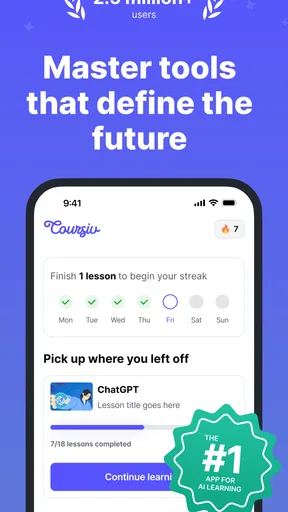
As soon as you open the app, you’re greeted with a sleek and user-friendly interface. Everything’s laid out in a way that makes sense, even if you’re not a tech wizard. The home screen gives you a quick overview of the latest AI tools and trends, which is super handy if you’re looking to stay updated without the hassle of digging through endless articles.
Exploring the Features
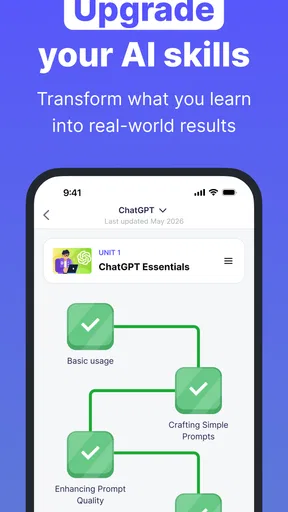
Now, let’s talk features. Coursiv doesn’t just give you a list of AI tools; it offers a comprehensive guide on how to master them. Each tool is accompanied by a detailed tutorial. These tutorials are bite-sized and easy to follow, making learning a breeze even if you’re a complete newbie.
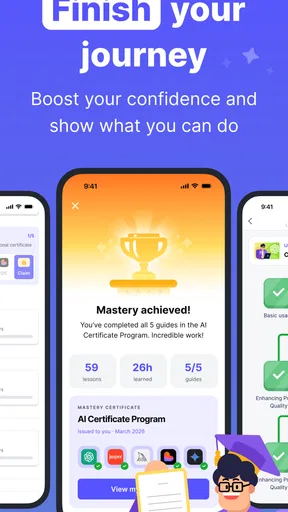
One of the standout features is the interactive quizzes. These quizzes are designed to test your understanding of the tools you’ve just learned about. It’s a neat way to reinforce your learning and ensure you’ve grasped the key concepts. Plus, who doesn’t love a little gamification in their learning process?
Another cool feature is the community hub. Here, you can connect with other users, share tips, or even ask for help if you’re stuck. It’s like having a supportive group study session, but without the need to leave your couch.
Making the lessons useful beyond the screen
To get more value from the tutorials, I’d treat them as a shortlist for experiments rather than a collection to finish as quickly as possible. After a lesson, choose one small, harmless task and see whether the tool can help. For a student, that might mean asking it to explain a concept in simpler language and then checking the explanation against class materials. For someone planning a project, it could be comparing how a tool handles brainstorming with how it handles polishing a draft. The point is to test one use at a time, so it is clear what the tool actually contributed.
A useful habit is to separate learning about a tool from relying on its output. If an AI tool suggests wording, facts, or a plan, I would review the result before sharing or acting on it. Coursiv can help me understand where a tool might fit, but the responsibility for checking an answer remains with me. That distinction is especially important for schoolwork and workplace tasks, where a fluent response can still be incomplete or wrong.
The app’s quizzes can also help identify what I should revisit. If I miss a question, I would return to the relevant lesson and write down the point in my own words before trying another task. That small extra effort is more useful than treating a quiz score as the end goal. It turns the app into a prompt for active learning instead of passive consumption.
How it compares with other ways to learn
The usual alternatives are searching for free videos and articles, taking a structured course, or learning directly inside each AI product. Each has a different advantage. Search is flexible and can answer a very specific question, but the quality and depth vary from one explanation to another. A formal course may offer a deeper path through a narrower subject, while experimenting in a product gives the most direct sense of its actual interface and output.
Coursiv’s appeal is the guided overview: it can make sense for someone who wants a low-friction introduction across multiple tools before committing to a specialist course. It is less suited to a learner who already knows which product they need and wants advanced instruction, or someone who prefers to learn by doing without a course layer. In those cases, the product’s own help materials or a focused tutorial may get to the answer faster. I see Coursiv as a bridge between curiosity and deliberate practice, not a replacement for every other learning route.
There is also a trade-off in breadth. A course that covers many tools can help me understand the landscape, but broad coverage is not the same as deep expertise in one tool. If I need a dependable workflow for a particular job, I would use the app to orient myself and then spend time testing that specific product with realistic examples. That approach avoids mistaking a general introduction for job-ready mastery.
Cost, commitment, and the right expectations
The app is free, but it includes optional in-app purchases ranging from $9.99 to $79.99 per item. I would check what an offered purchase includes and whether it matches my learning goal before paying; the free download alone should not be confused with every course or feature being free. If I only want to explore the teaching style, I’d begin without committing to a purchase and decide based on whether the lessons help me take a useful next step.
Another practical question is whether the material will remain useful as AI products change. The app’s lessons can help with concepts and ways of thinking, but interfaces and capabilities in this field evolve. I would therefore treat specific instructions as something to verify when I open the tool itself, rather than assuming a course lesson will always match its latest version. This is not a reason to avoid learning; it is a reason to combine guided study with a quick check of the current product.
The community hub may appeal to learners who like exchanging tips, but I would still judge advice there carefully. A suggestion that works for one person’s task may not fit another’s needs, and community discussion is best used to generate questions or ideas rather than as a guarantee of accuracy. For a learner who prefers a quiet, self-directed course, the tutorials and quizzes are the central attraction; social participation is an optional extra in the overall learning experience.
Performance and Usability
The app runs smoothly on both platforms, with no noticeable lags or crashes during my usage. The developers have clearly put a lot of thought into ensuring a seamless experience, which is something I truly appreciate.
Navigation is intuitive, with everything just a tap away. Whether you want to explore a new tool, revisit a tutorial, or check out the latest AI news, it’s all conveniently categorized and easy to find. The search function is also top-notch, which is great if you have something specific in mind.
Who is likely to benefit most?
I think Coursiv is best for curious beginners, busy learners who prefer short lessons, and people who want an organized starting point before choosing which AI tools to explore in depth. It can also suit someone who wants a light study routine: one tutorial, one quiz, and one small experiment is a realistic session that does not require turning the subject into a major project.
I would skip it if I already have a clear tool and task in mind and need detailed, current instructions for that exact workflow. I would also look elsewhere if I need formal technical training or expect a course app to verify every output produced by an AI service. In those situations, targeted documentation, a specialist course, or careful hands-on practice is a better match. Coursiv’s strength is helping me get oriented; it cannot remove the need to judge tools for myself.
Final Thoughts
All in all, Coursiv: AI Tools Mastery is a fantastic resource for anyone looking to get a handle on the ever-expanding world of AI. It’s educational, engaging, and best of all, accessible to users of all levels. Whether you’re a seasoned pro or just starting out, this app has something for everyone.
If you’re eager to expand your AI skills, I highly recommend giving Coursiv a try. It’s like having a personal guide that’s always ready to help you navigate the complex landscape of AI tools. So go ahead, download it today and start your journey towards AI mastery!
Pros
- Intuitive user interface for easy navigation.
- Wide range of AI tools covered.
- Frequent updates with new content.
- Offline access for learning on the go.
- Interactive tutorials enhance learning.
Cons
- Requires a subscription for full access.
- Limited free features available.
- No support for multiple languages.
- Occasional bugs in the quiz section.
- High data usage for video content.
FAQs for Coursiv: AI Tools Mastery
What is Coursiv: AI Tools Mastery, and what does it offer?
Coursiv: AI Tools Mastery is an educational app designed to teach users how to effectively use various AI tools. It offers comprehensive courses, interactive tutorials, and real-world case studies to enhance understanding and practical application. The app caters to both beginners and advanced learners, providing a tailored learning experience.
Is Coursiv: AI Tools Mastery available on both Android and iOS devices?
Yes, Coursiv: AI Tools Mastery is available for download on both Android and iOS platforms. Users can easily find the app on the Google Play Store for Android devices and the Apple App Store for iOS devices, ensuring accessibility for a wide range of users.
Does Coursiv: AI Tools Mastery require any prior knowledge of AI?
No prior knowledge of AI is necessary to use Coursiv: AI Tools Mastery. The app is designed to accommodate all skill levels, starting from the basics and progressively moving to more advanced topics. This makes it ideal for complete beginners as well as those seeking to enhance their existing AI skills.
Are there any in-app purchases or subscription fees for Coursiv: AI Tools Mastery?
Coursiv: AI Tools Mastery offers both free and premium content. While many courses are free, access to advanced lessons and exclusive features may require a subscription fee. Users can explore the free content before deciding whether to invest in the premium offerings for a more in-depth learning experience.
How does Coursiv: AI Tools Mastery ensure user engagement and effective learning?
The app employs a variety of interactive elements, such as quizzes, gamified learning experiences, and hands-on projects, to maintain user engagement. Additionally, it provides personalized progress tracking and feedback, allowing users to monitor their improvements and stay motivated throughout their learning journey.


